Monthly IT Reporting: Why Patch Checks and Ongoing Monitoring Prevent "Set It and Forget It" Risks
A system can look healthy right up until the day it fails.
Servers still respond. Users still log in. Backups still show a green check. Firewalls still pass traffic. From the outside, everything appears fine. Then a missed security patch, expired certificate, failed backup job, or outdated endpoint agent turns into downtime, data exposure, or a long weekend of emergency repair.
That is why monthly IT reporting matters. It creates a steady rhythm for checking what is working, what is outdated, what is drifting from policy, and what needs attention before it becomes a problem.
For many internal IT teams, the real risk is not a lack of skill. It is the slow creep of the “set it and forget it” mindset. A system gets installed, configured, and handed off. Alerts get muted. Patch windows get skipped. Reports stop being reviewed. Over time, no one has a current picture of the environment.
A monthly reporting process fixes that. It gives IT leaders, business owners, and technical teams a clear view of risk, progress, and accountability.

Monthly reports turn invisible IT work into visible risk management
A well-run IT environment depends on hundreds of small checks. Most of them are invisible when they go right.
Security updates install in the background. Endpoint tools scan quietly. Backups run overnight. Network devices process traffic without complaint. Cloud services renew tokens and sync data. None of this creates much noise until something breaks.
Monthly reporting brings those quiet jobs into view.
A good report should answer practical questions:
Are operating systems current?
Are critical security patches installed?
Are endpoint protection tools active and reporting?
Are backups completing and restorable?
Are firewalls, switches, and access points running supported firmware?
Are user accounts, permissions, and admin rights still appropriate?
Are any systems approaching end of support?
Are alerts being reviewed instead of ignored?
Are there recurring issues that need a permanent fix?
The value is not the report itself. The value is the conversation and action it creates.
If a Windows server missed two rounds of updates, the report should show it. If a backup job has failed three nights in a row, the report should show it. If a firewall has not had a firmware review in over a year, the report should show it.
Without that visibility, IT decisions rely on memory, assumptions, or whoever last touched the system.
That is a fragile way to manage business technology.
Patch checks are one of the simplest ways to lower risk
Security patches exist because vendors have found flaws in their software. Some flaws are minor. Others allow attackers to gain access, elevate privileges, steal data, or disrupt operations.
Once a vendor releases a patch, attackers often know what issue was fixed. That can create a race. Organizations that patch quickly reduce exposure. Organizations that delay give attackers more time to find vulnerable systems.
Monthly patch checks help close that gap.
This does not mean every patch should be installed blindly the moment it appears. Some environments need testing. Some updates can conflict with business applications. Servers may need scheduled maintenance windows. That is normal.
The problem is when no one verifies patch status at all.
A healthy monthly patch review should include:
Workstations and laptops
Servers
Firewalls and network appliances
Wireless access points
Printers and multifunction devices
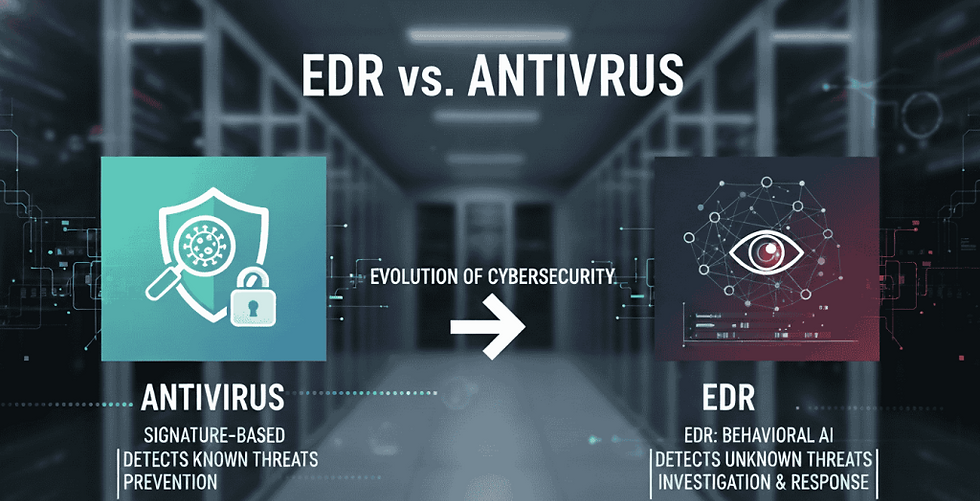
Endpoint detection and antivirus agents
Backup software
Remote access tools
Business applications
Cloud connectors and sync clients
Mobile device management tools
Many companies focus on laptops and servers, then forget everything else. That leaves gaps. A firewall running outdated firmware can be just as serious as an unpatched server. A remote access tool that has not been updated can become an entry point. A backup appliance behind on updates can put recovery at risk.
Patching is not only a security task. It is also a reliability task. Updates often fix bugs, improve compatibility, and reduce crashes. Monthly checks help IT teams catch small problems before they stack up.

The “set it and forget it” approach creates slow-moving problems
The most dangerous IT issues do not always happen suddenly. Many build quietly.
A monitoring agent stops checking in. A backup repository fills up. A certificate nears expiration. A server runs low on disk space every month. A software license lapses. A user keeps admin access long after changing roles.
None of these issues may cause an immediate outage. That is why they get ignored. The system still works, so the team moves on.
This is where “set it and forget it” thinking becomes risky.
Internal IT teams often carry a heavy workload. They support users, handle tickets, manage vendors, respond to leadership requests, maintain infrastructure, and deal with unexpected issues. When no one asks for regular reporting, recurring checks can slip.
That does not mean the team is careless. It means there is no routine forcing function.
Monthly reporting creates that force. It says:
Show what was checked.
Show what changed.
Show what failed.
Show what is overdue.
Show what needs approval or budget.
Show what risk remains.
This changes behavior. When teams know systems will be reviewed each month, they are more likely to keep documentation current, follow up on open alerts, and close the loop on maintenance tasks.
Accountability helps prevent drift.
The goal is not to watch over IT in a negative way. The goal is to make sure the environment does not depend on memory or hope. A clear report protects the business and supports the IT team by giving them proof of what they have done and what still needs attention.
What a useful monthly IT report should include
A monthly IT report should be clear enough for leadership to understand and detailed enough for technical staff to act on.
It should not be a giant export full of noise. Long lists of raw alerts can hide the issues that matter. The report should summarize the current state, call out exceptions, and assign next steps.
A practical report often includes sections like these:
Report area | What to verify | Why it matters |
Patch status | Missing critical updates, failed installs, pending reboots | Reduces exposure to known security flaws |
Security tools | Endpoint protection, detection agents, firewall status | Confirms defenses are active and reporting |
Backup health | Completed jobs, failed jobs, restore test status | Proves recovery is possible when needed |
System health | Disk space, CPU, memory, uptime, hardware warnings | Catches performance and failure risks early |
User access | Admin rights, inactive accounts, role changes | Limits unnecessary access and account misuse |
Network devices | Firmware, configuration backups, device alerts | Keeps core connectivity stable and secure |
Cloud services | Licensing, sync errors, admin changes, security settings | Prevents cloud misconfigurations from lingering |
Open risks | Unresolved items, business impact, owner, due date | Turns findings into action |
The best reports also show trends. A single failed backup may be a one-time issue. Four failed backups across a month show a pattern. A single workstation missing updates may be simple to fix. Dozens of missed updates may point to a broken patch policy.
Trends help separate noise from real problems.
The report should name owners and next steps
A finding without an owner often becomes a repeat finding.
If a server cannot be patched because an application vendor has not approved the update, the report should say so. If a firmware upgrade needs after-hours downtime, the report should list who must approve the maintenance window. If old user accounts need manager review, the report should assign that review.
Clear ownership prevents reports from becoming archives of unresolved issues.
The report should separate urgent items from planned work
Not every issue needs emergency action. Some items can wait for a scheduled maintenance window. Others need immediate attention.
A useful monthly report should make that difference clear:
Critical items that need fast action
High-priority items that should be scheduled soon
Routine maintenance items
Watch-list items that need monitoring
Completed items from the previous month
This gives leadership a realistic view of risk without creating panic.
Ongoing monitoring fills the gaps between reports
Monthly reporting is essential, but it should not replace daily monitoring. The two work together.
Monitoring catches active problems: a server goes offline, disk space drops below a threshold, backup jobs fail, or suspicious sign-ins appear. Reporting reviews the bigger picture: what happened, what changed, what remains unresolved, and where the environment is drifting.
Think of monitoring as the smoke alarm and monthly reporting as the inspection.
Both matter.
If a smoke alarm goes off, someone needs to respond right away. If the building never gets inspected, the same hazards may keep coming back. IT works the same way.
Ongoing monitoring should track systems such as:
Server availability
Endpoint security status
Backup jobs
Storage capacity
Firewall and VPN activity
Cloud admin sign-ins
Network device health
Certificate expiration
Critical service uptime
Monthly reporting should then confirm that alerts were reviewed and handled. This prevents a common failure point: tools are installed, but no one looks at them.
A monitoring platform that no one checks is just another system waiting to be forgotten.

Regular reviews help internal IT teams make a stronger case for resources
Monthly reporting also helps IT teams communicate with leadership.
Many business leaders only hear from IT when something is broken or when a purchase is needed. That can make IT look reactive, even when the team is doing a lot of preventive work behind the scenes.
A clear monthly report changes the discussion.
It shows completed patches, reduced open risks, successful backup checks, closed security gaps, and systems that need investment. It gives everyone a shared set of facts.
This matters when IT needs approval for:
Replacing unsupported hardware
Upgrading old operating systems
Buying better monitoring tools
Expanding backup storage
Improving endpoint security
Scheduling after-hours maintenance
Hiring extra support
Retiring risky legacy applications
Without reporting, these requests can sound optional. With reporting, the risk is easier to see.
For example, “we need to replace this server” is less convincing than “this server is running an operating system that no longer receives security updates, hosts a key finance application, and has appeared on the monthly risk report for three months.”
Specifics help leadership make better decisions.
The best monthly process is simple, repeatable, and honest
A monthly reporting program does not need to be complicated at the start. In fact, simple is better.
The process should be repeatable enough that it does not depend on one person. It should use consistent categories each month. It should focus on what matters most to business continuity and security.
A practical monthly cycle might look like this:
Collect data from patch tools, security tools, backup systems, monitoring platforms, and cloud admin portals.
Review exceptions rather than only totals.
Confirm whether critical patches and security updates were applied.
Check failed jobs, offline agents, and unresolved alerts.
Identify systems nearing end of support.
Review admin accounts and inactive users.
Document key changes made during the month.
Assign owners and due dates for open risks.
Share the report with the right stakeholders.
10. Review progress again the next month.
The report must also be honest. Green dashboards look nice, but they do not help if they hide real issues. A good report can show risk without blame. The point is to reveal problems early enough to fix them.
A red item on a report is not a failure. Leaving it unreviewed month after month is the failure.

Monthly reporting turns prevention into a habit
The “set it and forget it” approach feels efficient at first. Install the system, configure the tool, trust the alerts, and move on. The problem is that IT environments change constantly. Users change roles. Vendors release patches. Threats evolve. Hardware ages. Cloud settings drift. Backups fail. Licenses expire.
A system that was secure six months ago may not be secure now.
Monthly reporting creates a habit of verification. It gives internal IT teams a steady check on patching, monitoring, backups, access, and system health. It also gives leadership a clearer view of risk before that risk becomes downtime or a security incident.
The takeaway is simple: do not assume systems are current because they were once configured correctly. Check them, document them, and review them every month.
Preventive IT work is easiest to ignore when everything is running. That is exactly when it matters most.
How The IT Guys Can Help Your Business
If you are unsure about your current technology setup or want to assess your infrastructure's effectiveness, The IT Guys offer free consultations. Our experts evaluate your systems, identify risks, and recommend improvements tailored specifically to your business needs. This proactive approach helps prevent costly downtime, secures your data, and keeps your operations running smoothly.
Don’t wait for a critical issue to test your systems. Contact The IT Guys today to protect your business’s future:
Call Us: 866-560-8280
Email: info@theITguys.io
Schedule Directly: Book Your Free Consultation Here